Can I Use a Europe eSIM for Hotspot and Tethering?
If you plan to travel with a laptop, tablet, second phone, or a partner who needs internet too, this question matters: can I use a Europe eSIM for hotspot and tethering?
The short answer is: often yes, but not always by default. Hotspot support usually depends on the eSIM provider, the specific plan, the device you’re using, and sometimes the network you connect to in Europe.
If you need to share data while travelling, it’s worth checking the plan details before you buy. Roamzy’s Europe eSIM plans are the right place to start if you want one data plan that can potentially cover your phone and your other devices on the road.
For travellers who rely on maps, messaging, bank codes, email, or laptop work, hotspot can be the difference between a smooth trip and constant Wi-Fi hunting. And if you’re sharing data with a travel companion, you’ll usually want a bigger data allowance than you would for phone-only use.

Quick answer: can I use a Europe eSIM for hotspot and tethering?
In many cases, yes. A Europe eSIM may support hotspot and tethering, which lets you share your phone’s mobile data connection with a laptop, tablet, or another phone.
But there are three important caveats:
- Not every eSIM provider allows hotspot use.
- Some plans may restrict tethering or reduce speeds after a certain amount of use.
- Device settings and network conditions can affect whether hotspot works properly.
So if hotspot is important for your trip, don’t assume every Europe eSIM will behave the same way. Check the plan terms before purchase.
What hotspot and tethering mean
People often use the terms interchangeably, and for travel purposes that’s fine.
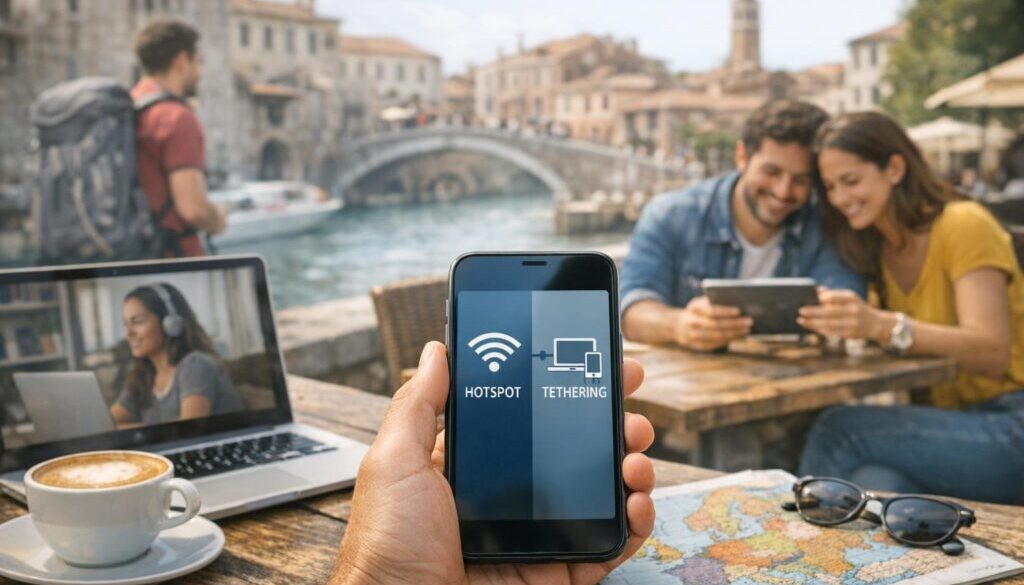
- Hotspot usually means your phone broadcasts a Wi-Fi network that other devices can join.
- Tethering is the broader term for sharing your phone’s internet connection by Wi-Fi, USB, or Bluetooth.
For most travellers, hotspot is the practical version of tethering. It’s how you connect a laptop in a café, a tablet on a train, or a companion’s phone without buying a separate SIM for each device.
Does a Europe eSIM usually support hotspot?
Often, yes — especially on mainstream travel eSIM plans — but support is not universal. The provider controls whether tethering is allowed, and the plan rules may differ even within the same eSIM brand.
When hotspot is typically allowed
Hotspot is usually allowed when the plan is a standard data-only travel eSIM with no special restrictions. That means you can connect your phone to a local European network and share that connection with other devices.
This is especially useful for:
- Business travellers connecting a laptop
- Families sharing one data source in the car or hotel
- Digital nomads who need backup internet
- Cruise passengers using a phone as a portable connection on shore
Why some plans block tethering
Some providers restrict hotspot use for one or more of these reasons:
- Fair use management on unlimited-style plans
- Network partner rules in certain countries
- Plan-level restrictions to prevent heavy sharing
- Device or APN settings that stop hotspot from being detected properly
That is why the question is not just whether a Europe eSIM works, but whether that specific Europe eSIM plan supports hotspot in the way you need.
How country or network coverage can affect performance
Even when hotspot is allowed, performance can vary by country, network strength, and location. A city centre in Paris will behave very differently from a mountain train in Switzerland or a ferry crossing between islands.
Hotspot might technically work, but still feel slow if:
- The mobile signal is weak
- The network is congested
- You are in a building with poor reception
- Several devices are using data at once
What to check before buying a Europe eSIM
If you know you’ll need hotspot, check these details before purchase. It only takes a minute and can save a lot of frustration later.
1. Hotspot and tethering policy
This is the first thing to confirm. Look for wording such as:
- Hotspot supported
- Tethering allowed
- Sharing permitted
- Device hotspot compatible
If the plan terms are vague, contact support before you buy.
2. Data limits and fair use rules
Hotspot burns through data faster than many travellers expect, especially if you connect a laptop. Video calls, cloud backups, software updates, and streaming can all drain your allowance quickly.
If you intend to share data, look at:
- Total data allowance
- Any speed reductions after a threshold
- Whether unlimited really means unlimited hotspot use
A larger data plan is often the safer choice for shared use.
3. Device compatibility
Your phone must support eSIM and hotspot features. Some older phones support eSIM but have quirks around tethering, while some regional models behave differently depending on software and carrier settings.
Before travelling, confirm that:
- Your phone is eSIM-compatible
- Hotspot is enabled in your device settings
- Your phone is unlocked
- Your operating system is up to date
If you want to double-check device compatibility, use Roamzy’s relevant compatibility resources before departure.
4. Supported countries and networks
A Europe eSIM may cover multiple countries, but the quality of hotspot use can vary depending on the local partner network available in each destination. Before you buy, check that the countries on your itinerary are included and that the plan is suitable for multi-country travel if you’re crossing borders.
How to set up hotspot with a Europe eSIM
Once your eSIM is installed and active, hotspot is usually enabled through your phone’s built-in settings. The exact steps vary slightly by device.
iPhone steps
- Go to Settings.
- Tap Personal Hotspot or Mobile Data depending on your iPhone model and iOS version.
- Turn on Allow Others to Join.
- Set a Wi-Fi password.
- Connect your laptop or tablet to the hotspot name shown on your screen.
Android steps
- Open Settings.
- Tap Network & Internet or Connections.
- Select Hotspot and tethering.
- Turn on Wi-Fi hotspot.
- Set a password and connect your other device.
What to do if hotspot does not appear
If hotspot settings are missing or greyed out, try these fixes:
- Restart your phone
- Make sure mobile data is switched on for the eSIM line
- Check that the eSIM is selected as your data line
- Confirm the phone is unlocked
- Reset network settings if needed
- Look for APN settings in the eSIM instructions
If the issue continues, the problem may be plan-related rather than device-related.
Ready to Stay Connected?
Compare Roamzy’s Europe eSIM options and choose a plan that suits your trip.
Why hotspot might not work
If your Europe eSIM should support hotspot but it still fails, the cause is usually one of four things.
1. Plan restrictions
The provider may allow mobile data but limit sharing. This is common on some discounted or unlimited-style plans.
2. APN or device settings
An incorrect APN can stop data sharing from working properly. This is more common when a manual setup is required.
3. Carrier or network limitations
Some local network partners may handle tethering differently, especially if the plan is routed through multiple regional networks.
4. Roaming or regional restrictions
In a multi-country Europe plan, hotspot may work in one country and behave differently in another if the local access rules vary.
Best use cases for hotspot while travelling in Europe
Hotspot is most useful when you need more than phone-only connectivity.
Laptop work
If you need to answer emails, join video calls, upload documents, or access work tools, a phone hotspot can keep you online without relying on café Wi-Fi.
Sharing with a travel companion
Couples and families often use one travel eSIM as a backup connection for a second device. That can be handy for maps, messaging, and quick bookings.
Tablet and secondary device use
Tablets are great for reading, entertainment, and planning, but they often depend on Wi-Fi unless you share a connection from your phone.
Hotspot gives you flexibility in airports, trains, day trips, and hotel check-ins when fixed Wi-Fi is slow or unavailable.
For travellers who like exploring cities on foot, you may also enjoy Walkables – Immersive Self Guide Audio Walking Tours From Around Europe while you’re out and about with your phone’s data connection.
Do you need a bigger data plan for hotspot?
Usually, yes. Even light tethering can use more data than people expect. A few hours of laptop use can consume far more data than checking maps or messages on your phone.
As a rough planning rule:
- Light use: maps, messaging, email, short browsing
- Moderate use: remote work, photo uploads, cloud syncing
- Heavy use: video calls, streaming, large downloads, multi-device sharing
If your trip includes work, family sharing, or long transit days, it’s safer to choose more data than you think you’ll need.
Roamzy Travel Tip™
💡 Roamzy Travel Tip™: If hotspot is essential, test it once before you leave your accommodation on day one. It is much easier to fix a small setup issue in your hotel room than in an airport queue or on a train platform.
What to do if you need reliable hotspot data in Europe
If your trip depends on shared internet, treat your eSIM choice like a travel essential, not an afterthought.
Choose a plan that supports hotspot
Do not assume all plans do. Confirm it in the plan details before buying.
Buy enough data for shared use
Shared internet use can multiply data consumption quickly. A plan that is fine for one phone may not be enough for two devices and a laptop.
Keep a backup connection option
If you are travelling for work or need reliable access for bookings and banking, it helps to have a backup such as hotel Wi-Fi, a second eSIM plan, or emergency public Wi-Fi access when appropriate.
If you want to reduce the risk of insecure Wi-Fi while travelling, Roamzy Secure™ can also be useful for added privacy on public networks.
Ready to Stay Connected?
Compare Roamzy’s Europe eSIM options and choose a plan that suits your trip.
Conclusion: can I use a Europe eSIM for hotspot and tethering?
Yes, you often can — but the real answer depends on the plan. If hotspot matters to your trip, don’t buy a Europe eSIM on the assumption that sharing is automatically included. Check the tethering policy, data allowance, and any fair use rules first.
For travellers who need to connect a laptop, tablet, or second device, a Europe eSIM with confirmed hotspot support can be one of the simplest ways to stay online across the trip. It’s flexible, practical, and usually far easier than juggling public Wi-Fi or separate SIMs for each device.
If you’re comparing options now, start with Roamzy’s Europe eSIM plans and choose the one that matches how you actually travel.
Frequently asked questions
Can I use a Europe eSIM for hotspot and tethering on any phone?
No. Your phone must support eSIM, be unlocked, and allow hotspot use. Even then, the eSIM plan itself must permit tethering.
Does hotspot use more data?
Yes, it usually does. Laptops and tablets often use more data than a phone because of background updates, larger pages, and heavier app usage.
Will a Europe eSIM work for my laptop directly?
Usually not directly unless your laptop has its own eSIM capability. Most travellers share mobile data from a phone using hotspot.
Why is hotspot missing on my phone?
It may be disabled by device settings, APN setup, or plan restrictions. Restarting the phone and checking the eSIM data line is a good first step.
Is hotspot allowed in every European country on the plan?
Not always in the same way. Coverage may be included across many countries, but hotspot behaviour can still vary by local network conditions and provider rules.
Should I buy a larger plan if I want to tether?
In most cases, yes. Shared use usually needs more data than phone-only travel.
Can I use hotspot for work calls?
Yes, if the connection is strong enough. For video calls, choose a larger data allowance and expect higher usage.
What if hotspot works at first and then stops?
Check your remaining data, confirm the eSIM is still selected as the data line, and review any fair use or speed limit rules.
Should I rely on hotspot for my only connection in Europe?
It can work well, but it is wise to have a backup option if you need dependable access for work, navigation, or travel bookings.