
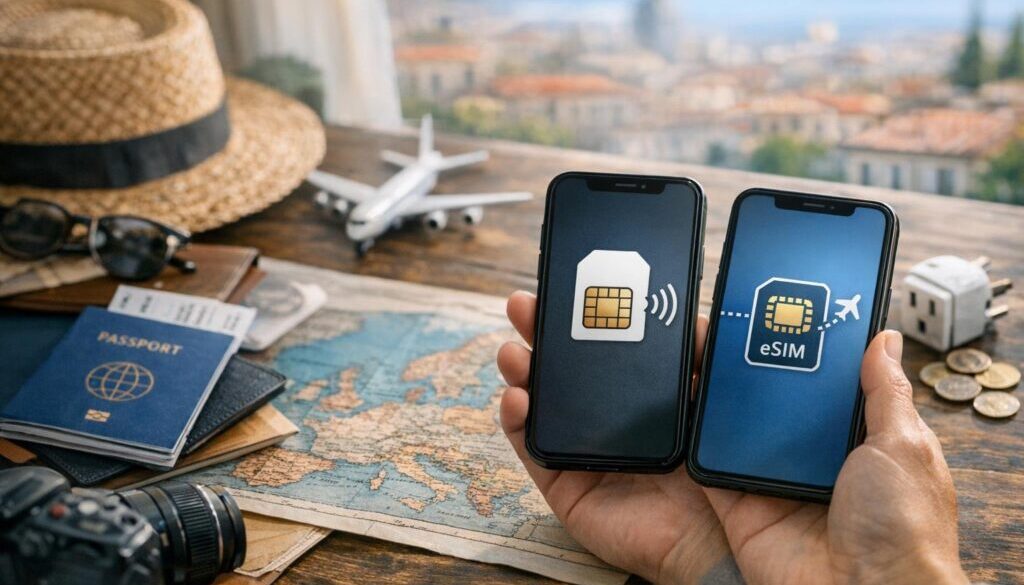
What Happens to My Phone Number When I Install a Travel eSIM?
If you’re worried that installing a travel eSIM will change your phone number, the short answer is usually no. In most cases, a travel eSIM gives you mobile data for your trip without replacing your main number.
That means you can often keep your existing number for calls, texts, banking codes, WhatsApp, and everyday contact, while using the travel eSIM for affordable data abroad. The key is understanding which line is handling data, which line is handling voice, and whether your home SIM should stay active.
For travellers who want a simple way to stay online without relying on roaming, Roamzy’s travel eSIM is a practical option. If your main concern is keeping your number while using travel data, this is exactly the kind of setup a travel eSIM is designed for.

Quick answer: does a travel eSIM change your phone number?
No, not in the normal sense. Installing a travel eSIM usually does not change your existing phone number, because the eSIM is typically used as a separate data line.
Your original number stays with your home SIM or home eSIM account. What changes is which line your phone uses for:
- Mobile data while you’re overseas
- Calls if you choose to route them through one line or another
- Texts and OTP codes depending on your carrier and phone settings
That’s why the phrase what happens to my phone number when I install a travel eSIM is really about line management, not number replacement.
What happens to your phone number when you install a travel eSIM?
Your phone number normally stays the same. Installing a travel eSIM does not port your number away, and it does not usually deactivate your existing number.
Your number usually stays on your home service
Your main number is tied to your carrier account. A travel eSIM is separate from that account, so it generally doesn’t overwrite your number or move it to a new profile.
The travel eSIM is usually for data, not a replacement number
Most travel eSIMs are data-only. That means they help you get internet access for Google Maps, messaging apps, email, ride-hailing apps, and browsing, while your original number remains available on your home line if it’s kept active.
Your physical SIM may still work
If your phone supports dual SIM use, your physical SIM can often remain in the device while the travel eSIM is installed. On many phones, this lets you keep your original number available while using the travel eSIM for data.
That said, the exact behaviour depends on your phone model, carrier settings, and whether your home line is enabled while travelling. Check your device settings before departure.
Will I still receive calls and texts on my main number?
Often yes, but it depends on how you configure your phone and what your carrier allows while roaming.
How calls usually work
If your home SIM remains active, calls to your main number may still come through. Some travellers choose to keep voice roaming enabled only for urgent calls, while others leave calls unanswered and use messaging apps over the travel eSIM’s data connection.
How texts and verification codes may work
SMS messages, including bank verification codes and one-time passwords, may still arrive on your original number if the home line is active and able to receive them. This is one of the biggest reasons travellers keep their main number active when using a travel eSIM.
For important text messages, do not assume everything will work automatically. Some carriers and some settings can affect SMS delivery while abroad.
iPhone and Android can behave differently
Both iPhone and Android phones can support dual SIM, but the menus and default settings are different. On one phone, your travel eSIM may be set as the data line by default. On another, you may need to choose which line handles calls or enable roaming for the home line.
The important part is not the brand of phone. It’s making sure you know which line is active for data, calls, and SMS before you land.
What changes when you use a travel eSIM?
The biggest change is usually how your phone connects to the internet overseas.
Which SIM handles mobile data
In many travel setups, the travel eSIM becomes the data line. That means your phone uses the travel eSIM for internet access, while your home SIM remains available for your number.
This setup is especially useful for:
- Navigation in airports and train stations
- Hotel check-in and maps
- Messaging family and friends
- Translation apps
- Ride-hailing and local transport apps
How to avoid accidental roaming charges
This is where many travellers get caught out. If your home SIM remains active for data roaming, your carrier may charge roaming fees in the background. To avoid that, you should check which line is selected for mobile data and whether roaming is enabled on your home line.
If you want the travel eSIM to do the heavy lifting, make sure your phone is set so the travel eSIM handles data and your home line is not unexpectedly using roaming data.
What happens if you disable your home SIM
If you turn off your home SIM completely, you may stop receiving calls and texts on your main number. That can be useful if you only care about data, but it is not ideal if you need bank codes, urgent calls, or account verification texts.
For most travellers, the best balance is keeping the home number available while using the travel eSIM for data.
Ready to Stay Connected?
Compare Roamzy’s Europe eSIM options and choose a plan that suits your trip.
Can I keep my WhatsApp and other apps on the same number?
Yes, in most cases. Apps like WhatsApp are usually tied to your phone number when you register them, not to the SIM currently carrying your data.
WhatsApp usually stays with your number
Once WhatsApp is linked to your number, you can normally keep using it over the travel eSIM’s data connection. Your contacts still see the same WhatsApp account, because the app is using your existing number.
Banking and authentication apps
Banking apps and authentication systems can be a little different. Some send OTP codes by SMS, while others use in-app approval or push notifications. If your bank relies on SMS, keeping your main number active is especially important.
Apps that need your number to verify identity
Some services may re-check your number when you log in from a new device or country. If that happens, having access to your original number can save a lot of stress at the airport or hotel.
How to set up your phone correctly before travelling
A few minutes of setup before you leave can prevent most number and roaming headaches.
1. Check that your phone supports eSIM and dual SIM
Not every phone supports eSIM, and not every supported phone handles dual SIM the same way. Check your device compatibility before you buy anything.
2. Label your lines clearly
Rename your lines in your phone settings if possible. For example:
- Home SIM
- Travel eSIM
This makes it much easier to avoid using the wrong line when you land.
3. Choose the right line for mobile data
Set your travel eSIM as the mobile data line if you want to avoid roaming on your home SIM. This is usually the most important setting for travellers.
4. Decide what you want your home line to do
Ask yourself three questions before departure:
- Do I need calls on my main number?
- Do I need SMS or verification codes?
- Do I want to leave roaming on, or keep it off?
5. Check roaming settings intentionally
Don’t leave roaming settings on by accident. If you want your travel eSIM to handle data, confirm that your home SIM won’t quietly use roaming in the background.
That’s one of the easiest ways to avoid a surprise bill.
When might your phone number be affected?
Most of the time, your number is safe. But there are a few situations where things can change.
If you switch your primary line
If you manually set the travel eSIM as your primary number for calls or messaging, you may notice different call behaviour. That does not usually delete your original number, but it can change which line your phone uses by default.
If your original SIM is removed or deactivated
If you remove your physical SIM, or if your carrier deactivates the line, you will lose access to that number on the device. That is very different from simply installing a travel eSIM.
If your carrier has special roaming rules
Some carriers have specific rules for SMS, roaming, and international service. If your number is especially important for banking or work, check your carrier’s current international terms before you depart.
Travel eSIM vs changing your number
It helps to separate two very different actions:
| Action | What happens | Effect on your number |
|---|---|---|
| Install a travel eSIM | Adds a separate travel data line | Your number usually stays the same |
| Port your number | Move your number to a new carrier | Your number may change carrier, but not necessarily change digits |
| Cancel your home line | Deactivate your current service | You may lose access to your number on that phone |
Installing a travel eSIM is not the same as changing your phone number. It is much closer to adding a second travel layer on top of the number you already use.
Common mistakes travellers make
- Assuming the travel eSIM replaces the home number
- Leaving home data roaming on by accident
- Turning off the home SIM and then missing OTP codes
- Forgetting which line is set for mobile data
- Not testing WhatsApp, banking apps, or call settings before departure
If you avoid those mistakes, a travel eSIM is usually very straightforward to use.
💡 Roamzy Travel Tip™
Before you fly, make a quick note in your phone of which line is your home number and which line is your travel eSIM. It takes less than a minute, and it can save you from tapping the wrong setting when you’re tired after a long flight.
How Roamzy fits into this setup
If your goal is to keep your main number active while using travel data abroad, a travel eSIM is often the simplest answer. Roamzy’s travel eSIM is designed for travellers who want data without the hassle of swapping physical SIM cards every time they land in a new country.
This is especially useful if you want to keep using:
- Your usual phone number
- OTP and verification codes
- WhatsApp and other messaging apps
- Navigation and booking apps on arrival
Ready to Stay Connected?
Compare Roamzy’s Europe eSIM options and choose a plan that suits your trip.
Conclusion
So, what happens to your phone number when you install a travel eSIM? In most cases, nothing bad at all. Your number usually stays the same, and the travel eSIM simply gives you a separate way to use mobile data while you’re overseas.
The main thing to get right is your phone setup. If you keep your home line active where needed, choose the travel eSIM for data, and check your roaming settings before you leave, you can usually stay reachable without paying unnecessary roaming charges.
That’s why a travel eSIM is such a useful option for travellers who want to keep their number and stay connected with less hassle.
FAQs
Does installing an eSIM change my number?
No, installing a travel eSIM usually does not change your phone number. It normally works as a separate line, often for data only.
Can I still get OTP codes while using a travel eSIM?
Often yes, as long as your home line stays active and your carrier allows SMS delivery while abroad. If your bank relies on SMS, check your settings before you travel.
Should I remove my physical SIM before using a travel eSIM?
Usually no. Many travellers keep the physical SIM installed so they can still receive calls or texts on their main number if needed.
Will I be charged for roaming if my home SIM stays in the phone?
You might be, if your home SIM is allowed to use roaming data or if you leave the wrong line selected for mobile data. Check your settings carefully before departure.
Can I use WhatsApp with my usual number on a travel eSIM?
Yes, in most cases. WhatsApp usually stays tied to your existing number, and it can use the travel eSIM’s data connection just fine.
What’s the difference between installing an eSIM and changing my number?
Installing an eSIM usually adds a new data line. Changing your number means moving or replacing the number tied to your mobile service. They are not the same thing.
Can I keep my home SIM active and still use travel data?
Yes, on many dual-SIM phones you can keep your home SIM active while using the travel eSIM for data. That is one of the most common travel setups.
What should I check before I fly?
Check that your phone supports eSIM, label your SIMs, set the travel eSIM as your data line, and confirm whether your home line should stay active for calls and SMS.
Suggested internal links
- What is a travel eSIM?
- How to install an eSIM on iPhone
- How to install an eSIM on Android
- Dual SIM vs eSIM: what’s the difference?
- How to avoid roaming charges abroad
- Best eSIM for international travel
- How to check if your phone supports eSIM
- How to activate a travel eSIM
- Roaming vs travel eSIM
- Europe eSIMs